Localization.Una totalmente soporta el formato estándar de la industria GNU Gettext. Ya sea que estés desarrollando un plugin de WordPress, una aplicación de Django o un proyecto en C++, puedes gestionar tus traducciones en una interfaz moderna y exportarlas como archivos .po válidos.
¿Por qué los desarrolladores eligen nuestra API Gettext?
- Formato PO Nativo: Generamos entradas msgid y msgstr válidas compatibles con Poedit y compiladores estándar de Gettext (msgfmt).
- Escapado Inteligente: Manejamos automáticamente las comillas dobles y los saltos de línea, asegurando que tus archivos se compilen en formato binario .mo sin errores de sintaxis.
- Gestión de Encabezados: Cada archivo incluye encabezados estándar (Content-Type, Encoding), para que tu aplicación reconozca correctamente el conjunto de caracteres (UTF-8).
Gestión Avanzada de Proyectos
Proporcionamos herramientas poderosas para mantener tu localización organizada, sin importar cuán grande crezca tu proyecto.
Categorización: Agrupa tus cadenas en un árbol de carpetas lógico (por ejemplo, Admin > Menú, Frontend > Errores).
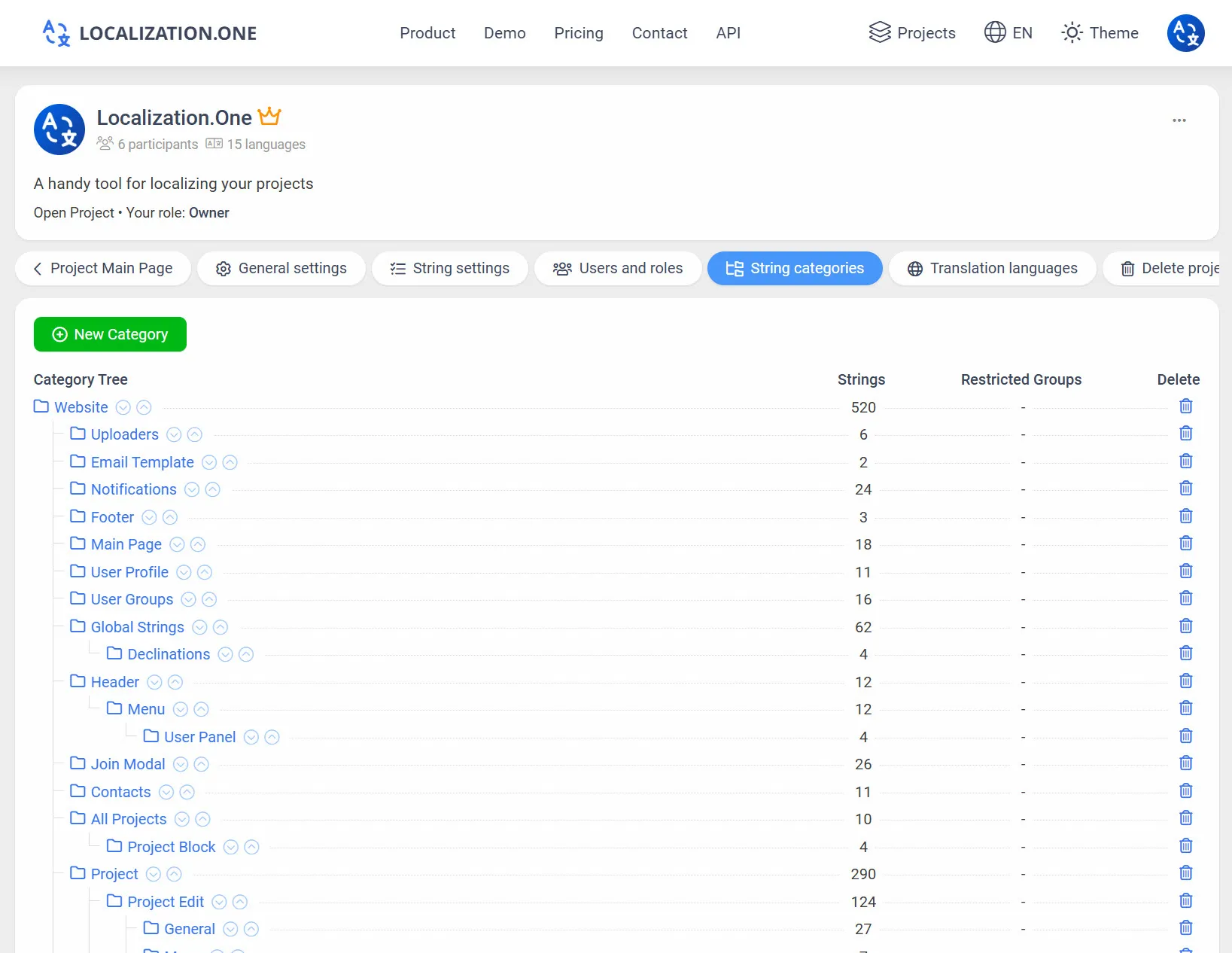
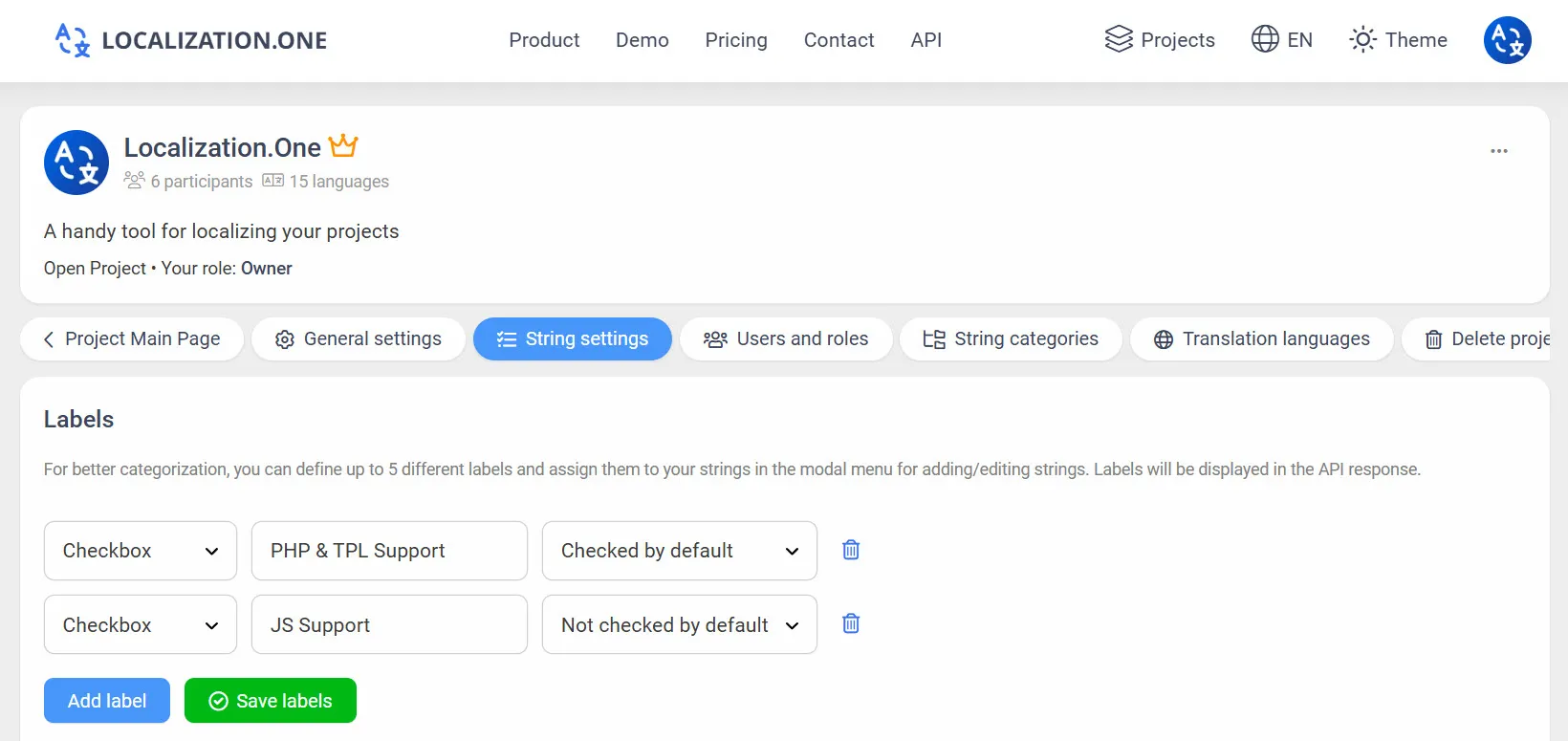
Etiquetas y Tags: Marca cadenas con etiquetas personalizadas para filtrar exportaciones a través de la API.
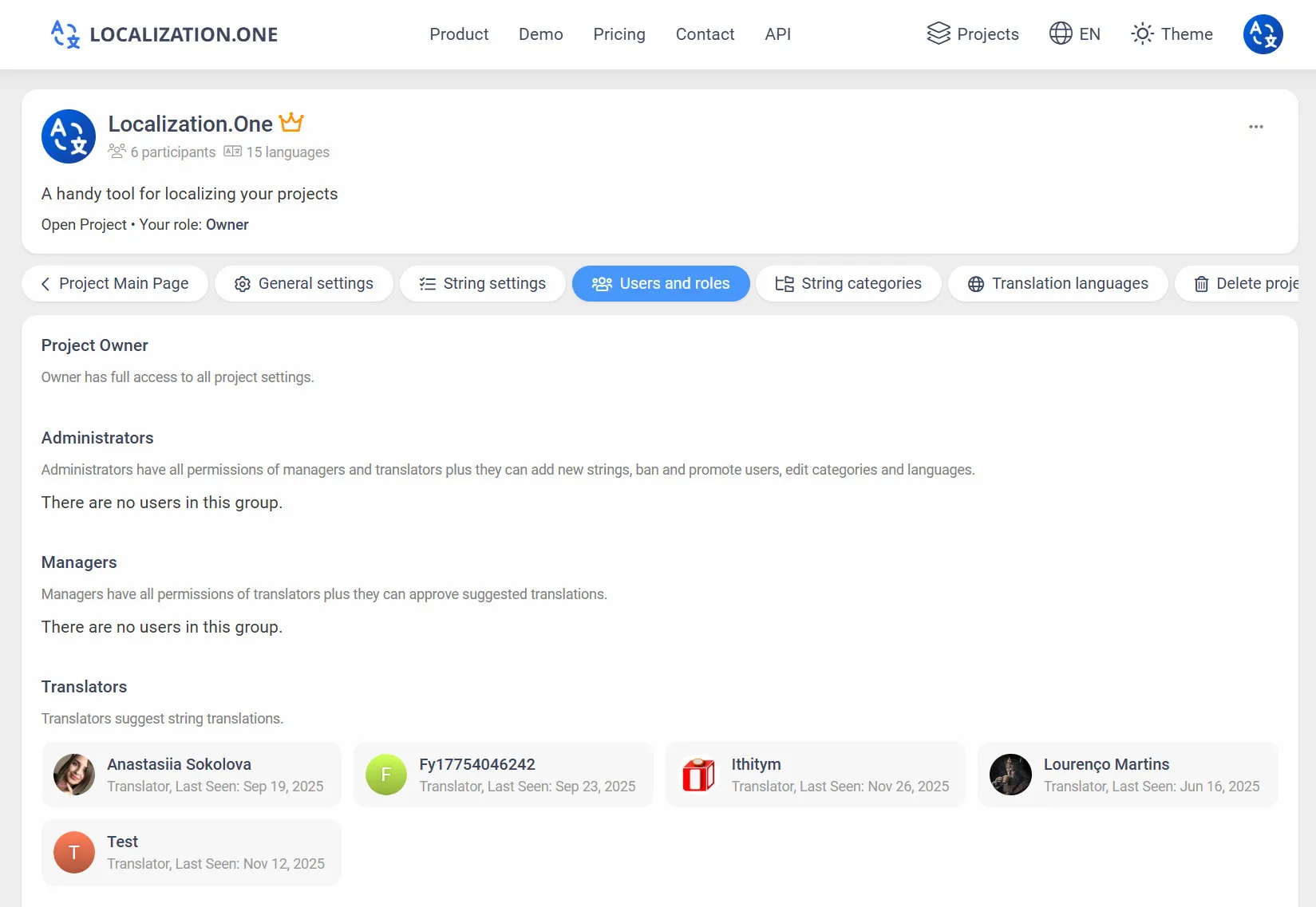
Roles y Permisos: Invita a miembros ilimitados del equipo y asigna roles granulares (Propietario, Administrador, Gerente, Traductor).
Webhooks: Recibe notificaciones en tu servidor cada vez que las traducciones se actualizan o aprueban.
Cómo Integrar
Opción 1: Exportación Manual (UI)
Perfecto para actualizaciones periódicas o compilación manual.
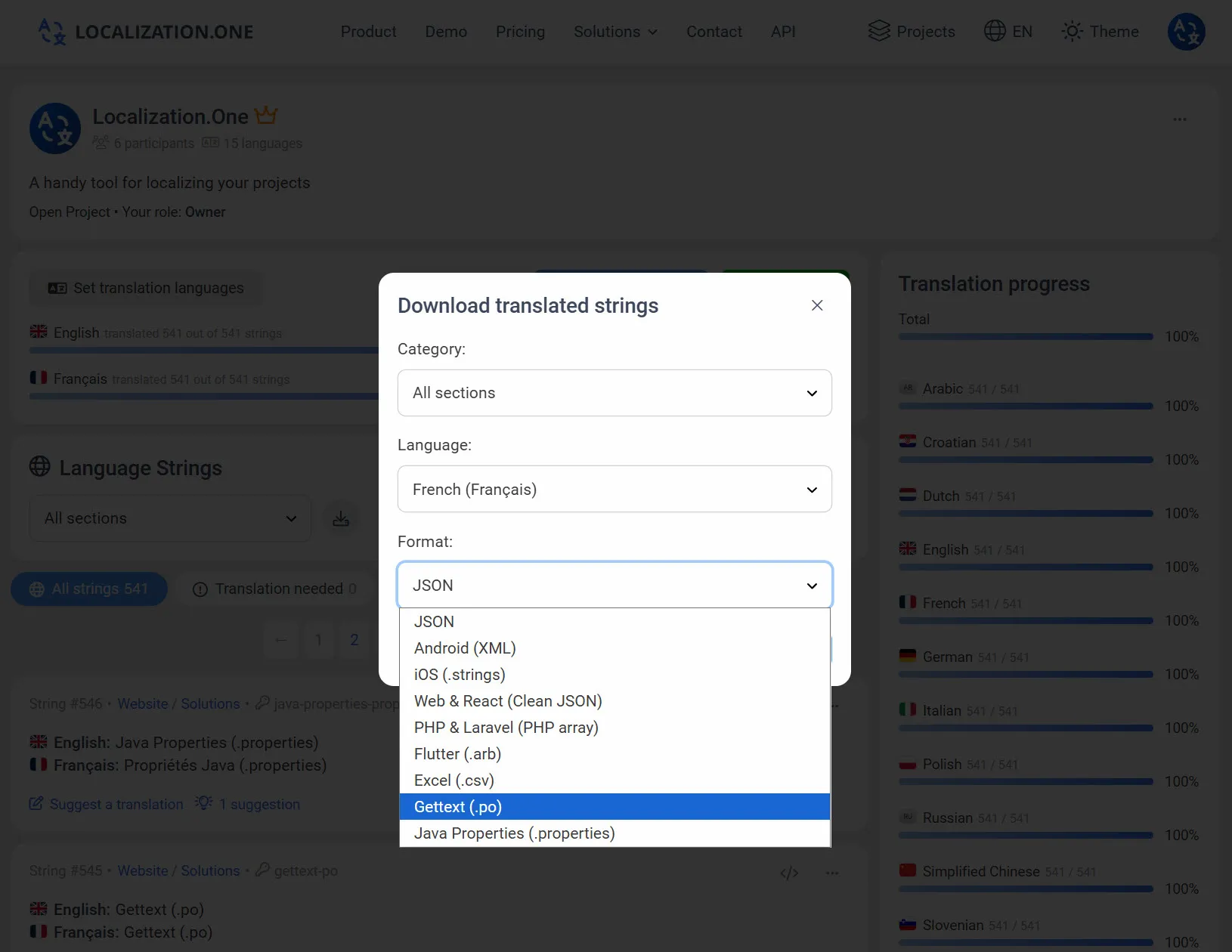
- Ve a tu Tablero de Proyecto.
- Haz clic en el botón Descargar .
- Selecciona Gettext PO del menú desplegable de formatos.
- Elige el idioma y descarga el archivo.
Opción 2: Automatizar con API (CI/CD)
Obtén las últimas traducciones directamente en tu pipeline de construcción. Pasa el parámetro format=po.
bash
# Descargar traducciones en inglés
curl "https://api.localization.one/{YOUR_API_KEY}/getTranslations?translation_language=1&format=po" > languages/en_US.po

# Descargar traducciones en español
curl "https://api.localization.one/{YOUR_API_KEY}/getTranslations?translation_language=2&format=po" > languages/es_ES.po
Opción 3: Enviar a través de Webhooks
Configura una URL de Webhook en la configuración de tu proyecto para automatizar completamente el proceso.
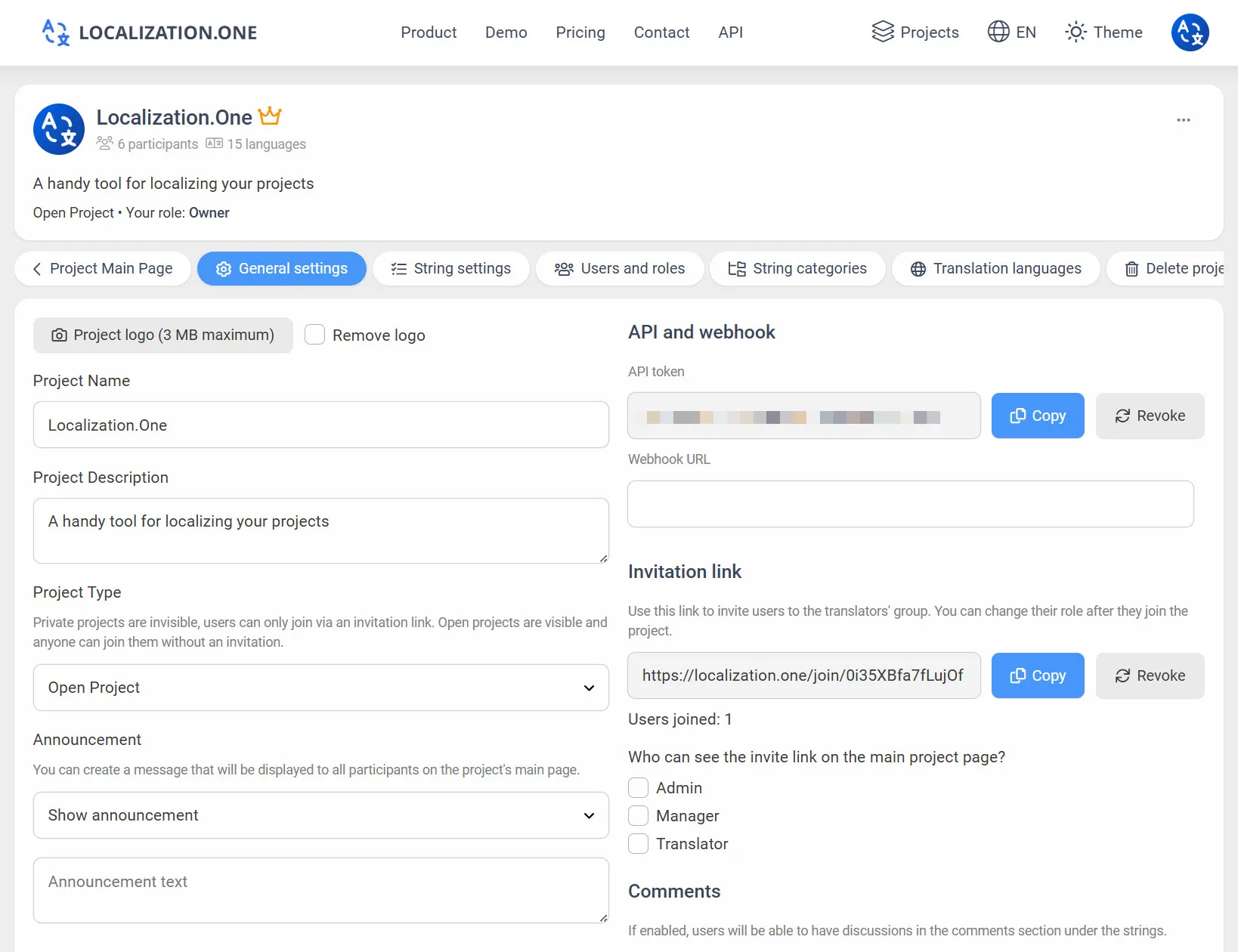
- Actualizaciones Rápidas: Tu servidor recibe una solicitud POST poco después de los cambios (generalmente dentro de 5 minutos).
- Auto-Compilación: Usa el webhook para activar un script que descarga el archivo .po y lo compila automáticamente a .mo.
Preguntas Frecuentes
¿Necesito compilar el archivo .mo?
Sí. Nuestra API proporciona el archivo fuente .po. Debes incluir un paso en tu proceso de construcción (usando msgfmt) para compilarlo en un archivo binario .mo para un mejor rendimiento en producción.
¿Es compatible con WordPress?
Sí. El formato exportado es completamente compatible con WordPress. Solo asegúrate de renombrar el archivo al formato de dominio de texto correcto (por ejemplo, my-plugin-es_ES.po) después de descargarlo.
Tecnologías relacionadas:
- ¿Usando frameworks modernos de PHP? Consulta Laravel Localization.
- ¿Necesitas un formato web simple? Consulta React JSON.
¿Listo para modernizar tu flujo de trabajo Gettext? Crea tu cuenta gratuita hoy.